
As an Amazon Associate, I earn from qualifying purchases. This means I may earn a commission if you purchase through links on this page — at no extra cost to you.
The best free living room layout tools let you input your room dimensions, drag furniture to scale, and test arrangements before moving anything heavy. Below are the top free options ranked by ease of use, plus a printable grid method that works without any app.
Top 5 Free Layout Tools
1. IKEA Kreativ / Room Planner
Best for: beginners. Simple drag-and-drop with real IKEA furniture dimensions. Free, no account needed for basic use. Limited to IKEA pieces but great for testing layouts.
2. Roomstyler
Best for: 3D visualization. Draw your room, add furniture, view in 3D. Free tier is generous. Slightly dated catalog but functional.
3. Planner 5D
Best for: detailed plans. 2D and 3D modes, extensive furniture library. Free version covers living room planning needs.
4. Floorplanner
Best for: precise measurements. Draw to scale, export plans. Free for one project — enough for a single room.
5. Graph Paper Method (No Tech)
Best for: quick planning. One square = 6 inches. Cut furniture to scale from a second sheet. Low-tech but surprisingly effective — designers still use this.
How to Measure Your Room for Planning
- Measure wall to wall (length × width)
- Mark every door, window, and opening with its width and swing direction
- Note outlets, vents, and thermostats
- Measure ceiling height
- Measure existing furniture you plan to keep
Printable Planning Grid
Print graph paper at 1 square = 6 inches. Draw your room outline, then cut furniture rectangles to scale:
- Standard sofa (84″): 14 squares × 6 squares
- Loveseat (60″): 10 × 6 squares
- Armchair: 5 × 5 squares
- Coffee table: 8 × 4 squares
- TV console (60″): 10 × 3 squares
Arrange the cutouts on the grid to test layouts — move them freely until the flow feels right, then measure walkways (5–6 squares = 30–36 inches).
Frequently Asked Questions
What is the best free room layout app?
For simplicity: IKEA’s planner. For 3D: Roomstyler or Planner 5D. For precision: Floorplanner. All have capable free tiers.
🛒 Shop This Look:
How do I plan furniture without an app?
Graph paper at 1 square = 6 inches, with furniture cut to scale from a second sheet. It’s the method designers used for decades and still works perfectly.
Measure First: The 10 Minutes That Save You Hours
No layout tool — free or paid — can help if your measurements are wrong. Before opening any app, gather:
- Room dimensions: Length and width, wall to wall, in inches. Measure twice; walls are rarely as square as they look.
- Ceiling height: Matters for tall bookcases and art placement.
- Doors: Location, width, and swing direction. Mark the swing arc — it’s dead space for furniture.
- Windows: Location, sill height, and width. Low sills limit what can go beneath; tall windows are natural focal points.
- Outlets and vents: Floor vents can’t be blocked; outlets determine lamp and TV placement.
- Fixed elements: Fireplace, radiators, built-ins — anything that can’t move.
- Furniture footprints: Length × width × height of every piece you’re placing, including chair pull-out space.
Sketch it on paper first, even roughly. The act of drawing forces you to confront the room’s actual shape, including the awkward corners and narrow passages that apps let you gloss over.
Standard Clearances: The Numbers Every Layout Needs
These are the measurements professional designers use. Memorize the big ones:
- Main walkways: 30–36 inches (36 for primary paths, 30 acceptable for secondary)
- Sofa to coffee table: 14–18 inches (close enough to reach, far enough for legs)
- Coffee table to TV/console: no fixed rule, but keep sight lines clear
- Side table to sofa arm: within 6 inches — a lamp you can’t reach is decoration
- Chair pull-out space: 24–30 inches behind dining chairs
- Rug under front legs: at minimum, the front legs of all seating should sit on the rug
- Art hanging height: center at 57–60 inches from the floor
- Space behind a door swing: nothing — mark it and respect it
Plug these into whatever tool you use. Most free tools let you set wall lengths and drag furniture; the clearances are what you check visually once the pieces are placed.
5 Living Room Layouts Worth Testing
Don’t start from a blank canvas — start from a proven arrangement and adapt it:
1. The Classic Conversation (Sofa + Two Chairs)
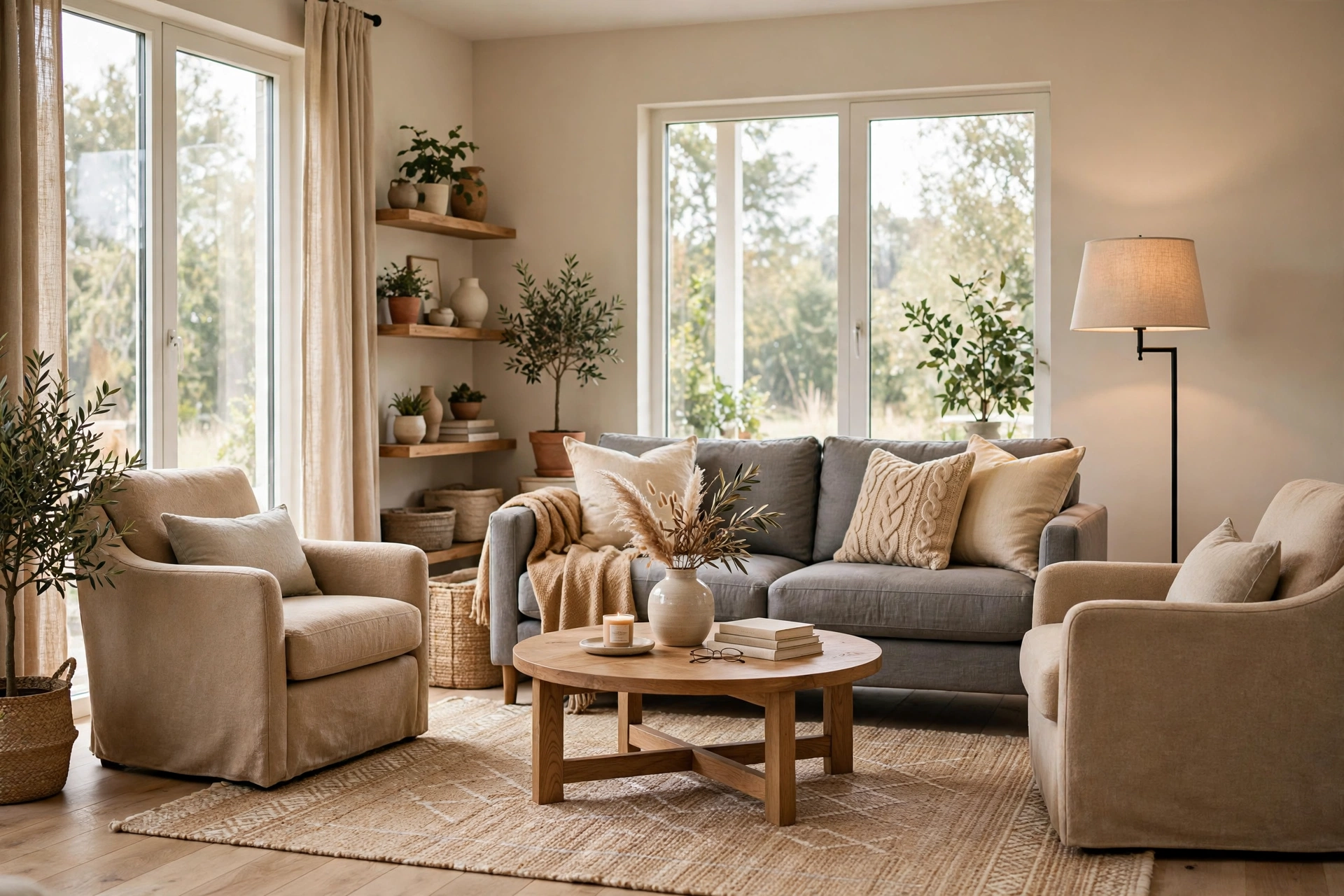
Sofa on the longest wall, two chairs opposite or angled, coffee table in the middle. The most versatile layout — works for TV (mount it on the wall the chairs face) and conversation. Test this first; it fits more rooms than any other arrangement.
2. The TV-First Layout
Sofa facing the TV wall, chairs flanking. Optimize viewing distance (1.5–2.5× screen diagonal) and angle. The risk: the room becomes a theater. Counter it by angling one chair toward the sofa to preserve a conversation option.
3. The Sectional Anchor
Sectional in a corner or floating to define zones in an open plan. Sectionals seat more people per square foot than any other option but lock you into one arrangement — test carefully, because they’re expensive to get wrong. Leave 30+ inches of walkway around the chaise end.
🛒 Shop This Look:
4. The Floating Layout
Sofa pulled away from the wall, console table behind it. Makes a room feel larger and more intentional — but only if there’s enough depth. You need at least 10–12 feet of room depth to float a sofa without blocking circulation behind it.
5. The Split Zone (for Long Narrow Rooms)
Divide a long room into two zones: seating near the TV or fireplace, reading nook or workspace at the far end. Use a rug and lighting to define each zone. This layout rescues “bowling alley” living rooms that feel awkward as one space. Related: Decorate a Small Living Room: 15 Space Tricks.
Common Layout Mistakes the Tools Reveal
- Pushing everything against walls: Beginners line the walls with furniture, leaving a dead void in the middle. Floating pieces even 6 inches off the wall creates breathing room and better flow.
- Ignoring traffic flow: The path from door to door (or door to kitchen) should never cross the conversation zone. In your tool, trace the walking paths — if they cut through the seating area, rearrange.
- Rug too small: The most common living room error, and layout tools make it obvious. If the rug floats in the middle touching nothing, size up. Front legs of seating on the rug, minimum.
- TV too far or too close: Check viewing distance in the tool using the 1.5–2.5× rule before you mount anything.
- Forgetting the door swing: That beautiful reading chair is useless if the door hits it. Mark every swing arc in the tool first, then place furniture.
- No side tables: Every seat needs a surface within reach. If your layout has a chair with nowhere to put a drink, add a small table or rethink the chair.
From Plan to Reality: Testing Before You Commit
A digital plan is a hypothesis. Validate it cheaply:
- Tape it out: Use painter’s tape to mark furniture footprints on the floor. Walk the paths. Sit in imaginary chairs. This catches problems no screen reveals — like the coffee table that’s technically 16 inches from the sofa but feels wrong.
- Live with the tape for a day: Tape is cheap; regret is expensive. Notice where you naturally walk versus where the tape says you should.
- Move existing furniture first: Before buying anything new, rearrange what you own into the planned layout. You’ll discover whether the plan works with real bodies and real habits.
- Photograph from the doorway: The doorway view is the room’s first impression. If the taped layout looks awkward from the door, adjust before committing.
- Check the light: Visit the taped layout at different times of day. A chair that’s perfect at noon might face brutal afternoon glare.
Frequently Asked Questions
What’s the easiest free living room layout tool?
For most people, a phone-based room planner with drag-and-drop furniture is fastest to learn. But don’t overlook the graph-paper method: one square equals 6 inches, furniture cut to scale from a second sheet. It’s free forever, works without internet, and forces you to internalize the measurements.
How do I arrange furniture in an awkward living room?
Start by identifying the focal point (fireplace, TV, view) and the traffic paths. Place the largest piece first (usually the sofa) facing the focal point without blocking paths. Then fill in around it. Awkward rooms usually have one good arrangement — the tool’s job is to help you find it faster than trial and error.
Should the sofa face the TV or the window?
The view usually wins for daily enjoyment, but be practical: if you watch TV daily and look out the window occasionally, face the TV and put a chair by the window. Glare matters too — a sofa facing a bright window means squinting; perpendicular is often the compromise.
How much space do I need behind a sofa?
30–36 inches for a walkway behind a floating sofa. If it’s just for cleaning access, 6–12 inches suffices. Don’t float a sofa with 18 inches behind it — that’s the worst of both worlds: not enough to walk through, too much to look intentional.
Phone Apps vs. Desktop Tools vs. Paper
Phone apps win on convenience — measure with your phone’s AR tools, drag furniture with a finger, and iterate on the couch. Best for quick experiments and rough planning. Desktop tools win on precision — easier to input exact dimensions, better for detailed plans you’ll share with a contractor or partner. Paper wins on understanding — the physical act of drawing and cutting furniture to scale builds spatial intuition that screens don’t. Many designers use all three: paper for thinking, phone for iterating, desktop for finalizing. There’s no wrong choice; there’s only the tool you’ll actually use before moving heavy furniture.
🛒 Shop This Look: