
As an Amazon Associate, I earn from qualifying purchases. This means I may earn a commission if you purchase through links on this page — at no extra cost to you.
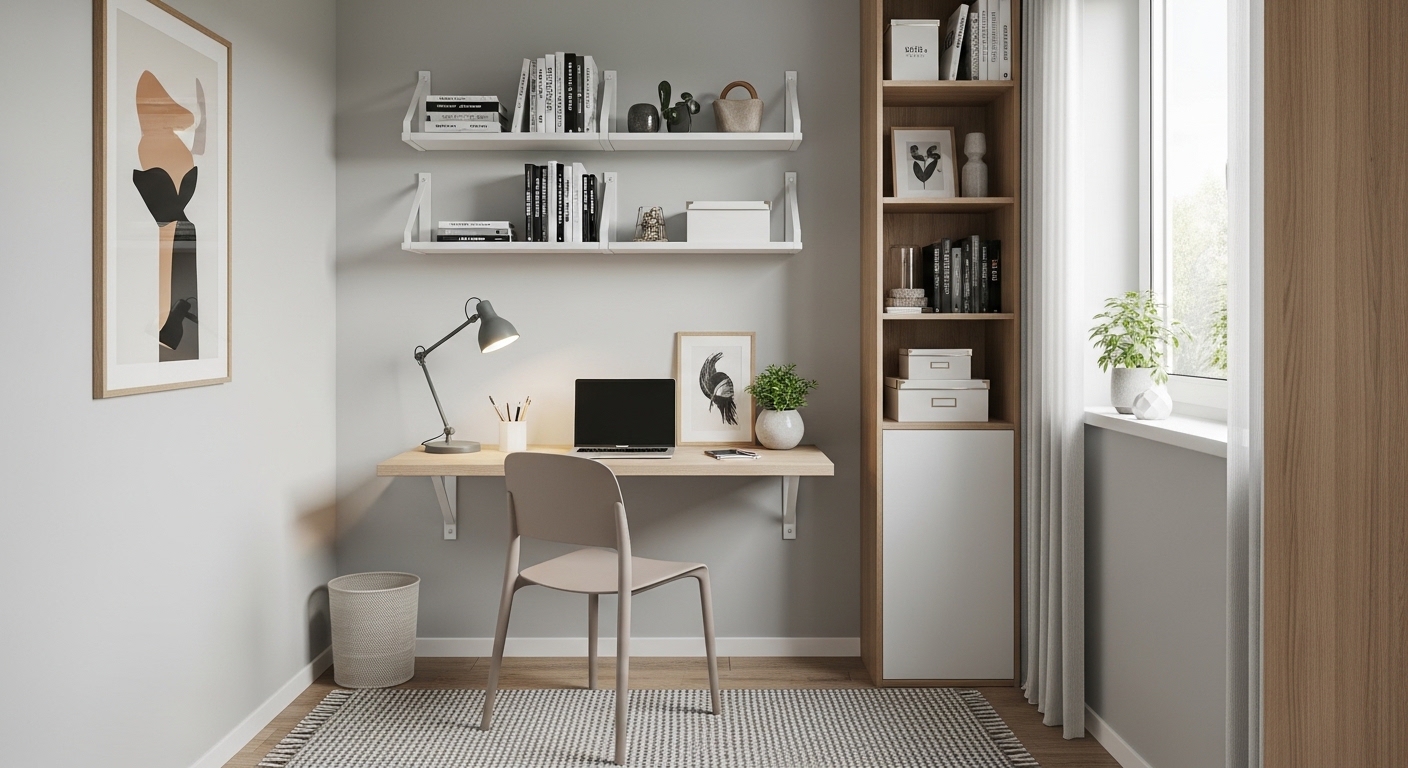
A wall desk is the smallest home office that still works: a work surface fixed to the wall, no legs eating floor space, and the room back when the workday ends. Done well, it fits a laptop, a notebook, and a lamp on a wall that otherwise holds nothing. Done badly, it wobbles, crowds the knees, or sits at a height that aches after an hour. This guide covers how to choose a wall desk for a small home office: measuring the wall, matching the desk to the work, fixing it safely, and fitting it into a shared room.
Measure the Wall Before You Shop
Measure three things before looking at any desk: the clear wall width, the height range you can use, and what is already on the wall. Clear width means the stretch without doors, windows, radiators, or switches — measure it with a tape, not by eye, because a desk that overlaps a door frame by an inch is a desk that cannot be fixed. Height range means from a comfortable work height up to where shelves or art begin. And note the outlets: a desk far from power needs a cable plan, while a desk beside an outlet keeps cables short and tidy.
Then measure the chair space. A wall desk needs knee room below and chair room behind: enough depth to sit with thighs clear of the desk underside, and enough floor behind the chair to pull out and stand. In a narrow room, the chair space often decides the desk depth more than the wall width does. Mark the desk outline and the chair zone on the floor with tape, sit in the chair, and check the reach: the work surface should be reachable without leaning, and the wall behind it should hold the items you use without stretching.
Match the Desk to the Work
Different work needs different desks. A laptop and notebook need a modest surface and little depth. A dual-monitor setup needs width for both screens plus a keyboard, and a depth that keeps screens at a comfortable viewing distance rather than looming close. Writing and drawing need a clear, uncluttered stretch with room for paper to spread. Craft or repair work needs a surface that tolerates weight and mess, and a wall behind it that can hold tools.
Be honest about the heaviest realistic load: monitors, a laptop, books, and the habit of leaning on the desk while thinking. A desk sized for a laptop alone will sag or feel cramped the week a monitor joins it. Size for the work you will do most days, with a little spare width for the days the work spreads out. A desk that fits today’s work exactly has no room for tomorrow’s.
Desk Types Compared
Floating desks fix a board directly to wall brackets and suit the smallest spaces: no legs, a clean look, and the floor stays open. They suit lighter loads and renters poorly, since they need solid fixings, but they are the most space-efficient choice where the wall allows. Fold-down desks hinge from the wall and fold flat when not in use, which suits rooms where the desk must disappear — a bedroom, a hallway nook, or a shared living room. They suit lighter work best, since the hinge and latch carry the load, and they need a clear wall area for the folded panel.
Corner desks use two walls at once and suit rooms where a single wall is too short but a corner sits empty. They give more surface without more floor, but they need careful measuring at the corner itself, where walls are rarely perfectly square. Closet desks convert an unused closet into a closed office: the doors shut on the work at day’s end. They suit deep closets with power nearby and fail in shallow closets where the chair cannot fit. Murphy-style fold-away desks fold up into a cabinet, hiding the work completely, and suit shared rooms where the office must vanish — but they cost more and need the sturdiest fixing of all, since the whole unit hangs on the wall.
Under-window desks use the wall beneath a window, borrowing daylight and a view, and suit rooms where the window wall is the only free stretch. They need care with radiator placement and glare: a screen facing a bright window strains the eyes, so an angled placement or a shade matters. Desks with shelves or cabinets above suit work that needs reference material close at hand, but the storage above must stay within reach and must not crowd the head: a cabinet that forces you to duck is worse than no cabinet at all.
🛒 Shop This Look:
Ergonomics on a Wall Desk
Height decides whether a wall desk aches or not. The work surface should sit so the forearms rest level when typing, with shoulders relaxed rather than hunched or raised. For most seated adults that means a surface near elbow height when seated, but bodies differ, so test with the actual chair: sit, rest the forearms, and measure to the underside of the hands. A fixed wall desk cannot be adjusted afterward, so getting this measurement right before drilling matters more than with a freestanding desk.
Monitor height follows: the top of the screen near eye level, so the neck stays neutral rather than tilting down all day. A monitor arm fixed to the wall or a small riser on the desk solves this without eating surface. Knee clearance matters too: nothing structural should block the thighs under the desk, and cables should route to the sides rather than dangling where knees pass. A wall desk that forces an awkward posture will be abandoned, however beautiful it looks.
Fixing It So It Holds
Fix into studs wherever possible. Studs carry the load of a desk, monitors, and leaning weight without complaint. Where no stud lines up with a bracket, use anchors rated above the loaded weight and follow the anchor’s own instructions for the wall type — plasterboard, brick, and concrete each need different fixings. Test each bracket empty with a firm downward tug before loading the desk, and load gradually: board first, then equipment, checking for flex at each stage.
For renters, the honest limit is light loads on adhesive or minimal fixings, and anything heavier needs the landlord’s agreement or a freestanding alternative. A wall desk that fails drops equipment, so never trust a fixing you have not tested. Keep the heaviest items — monitors, large books — closest to the wall and over brackets, not at the desk’s front edge where leverage is greatest. And re-check fixings after the first month: a bracket that has loosened slightly is easy to tighten early and dangerous to ignore.
🛒 Shop This Look:
Power and Cables
Plan power before fixing the desk. Count the devices that charge or plug in at the desk, add one spare outlet for the next device, and place the strip where its cable reaches the wall outlet without crossing a walkway. A strip mounted under the desk or on the wall beside it keeps plugs off the floor and out of dust. Route cables along the wall edge with clips or a short channel, not across open floor where feet catch them.
Keep the desk surface’s front edge clear of cables: route them to the back edge and down the wall. A cable that drapes across the work surface migrates into the work itself, tangling with papers and devices. Label the charger ends if several devices share the strip, so unplugging the right one takes a glance rather than a trace.
Many small home offices share a room with living, sleeping, or dining. A desk in a shared room needs a boundary, or the work spreads and the room never rests. A divider, a screen, or a tall bookcase placed at the desk’s edge marks the office zone without building a wall. See the guide to wall dividers for small flats for divider types that suit rented rooms and small footprints, including options that need no drilling.
Set shared-room rules to match the boundary: work items stay within the zone, the desk folds or clears at day’s end where the desk type allows, and the chair tucks in when not in use. A zone with clear edges is easier to leave at day’s end, which is the real benefit: a desk that visually closes lets the room return to its other life. Without a boundary, the office colonizes the room one item at a time.
Storage Above and Beside
Storage above a wall desk should hold what the work needs within arm’s reach: reference books, notebooks, chargers, and a small plant for morale. Shelves above the desk need a height that clears the head when standing and stays reachable when seated — too high and they become decoration, too low and they crowd the work. A pegboard or rail beside the desk suits tools and small items better than a shelf, because hooks keep items visible and grabbable.
For the full wall system around the desk — zones, pegboards, files, and boards — see the guide to home office wall organization, which plans the wall as a whole rather than one organizer at a time. Plan the desk and the wall storage together, not as separate purchases: the desk’s width, the storage above it, and the chair zone form one unit, and measuring them together avoids the common result of a desk that fits but storage that does not.
🛒 Shop This Look:
Mistakes That Make a Wall Desk Fail
The most common mistake is choosing depth by the wall rather than by the work: a deep desk in a narrow room eats the chair space, while a shallow desk forces screens too close. Measure the chair zone first, then the desk. Another mistake is fixing before testing height: a desk drilled at the wrong height cannot be adjusted, so test the height with a board on blocks before drilling anything.
A third mistake is overloading the front edge: heavy items at the front leverage the brackets hardest and invite sag. Keep weight near the wall and over brackets. A fourth is ignoring power until after fixing, leaving cables draped across the work or across the floor. And a final mistake is buying a desk for a photo rather than for the work: a beautiful wall desk that cannot hold the actual monitors, papers, and daily kit is decoration. Start from the measurements, match the desk to the work, fix it into studs, and let the wall earn its keep.